Checkable AI for evaluators
Answer your evaluation questions from your documents, inside your own Claude
A free, open-source plugin that turns your Claude into an opinionated evaluation assistant. You agree how your questions fit together, and a workflow of as many steps as each one needs. Claude carries it out, counts with code and checks every quotation against its source. In our tests, Rubicon is consistently more accurate than plain Claude, and we are improving it all the time. You get a report you can click through, and a zip from which somebody else can rebuild the analysis.
What you get
One report per question, answer first. Where questions share a step, such as one coding of the documents, they count from the same work, so the answers keep the same definitions. Click any number, source ID or quotation to see the passages behind it. It ends with how it was made: the methods annex a commissioner asks for. A Word copy comes with it.
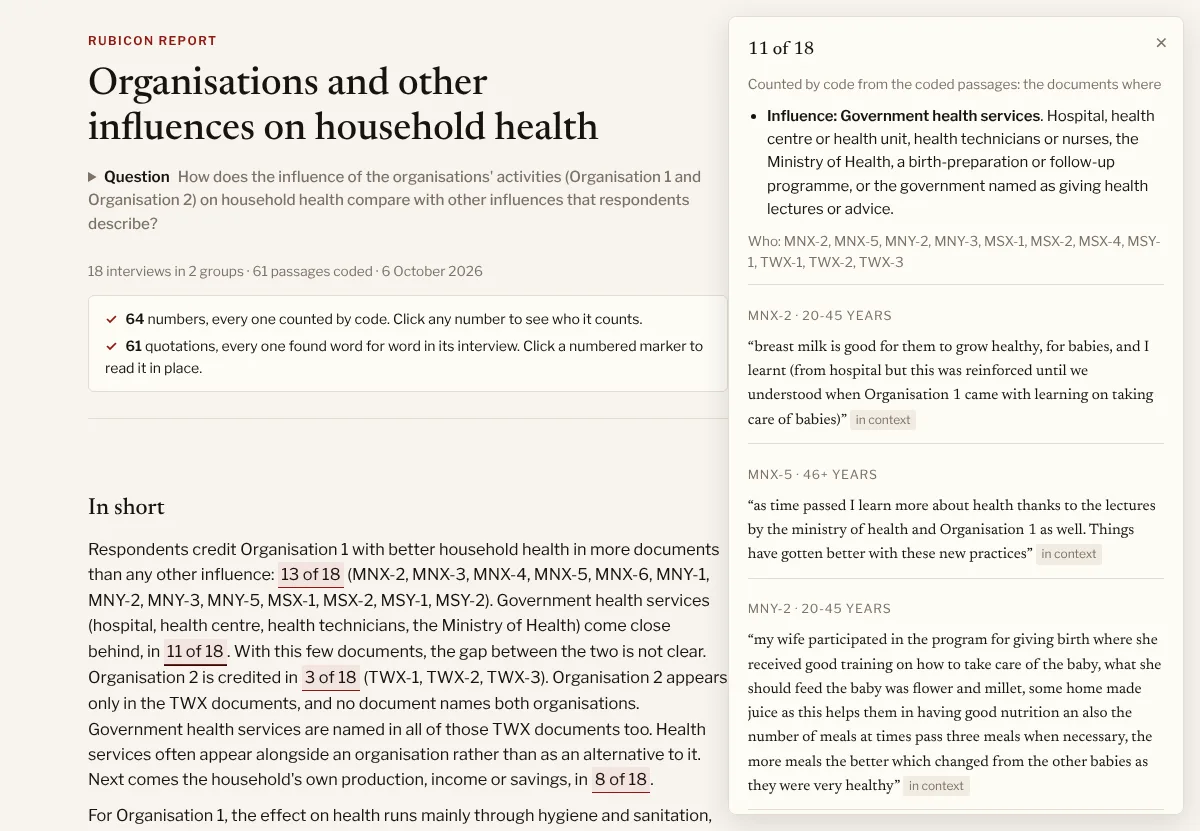
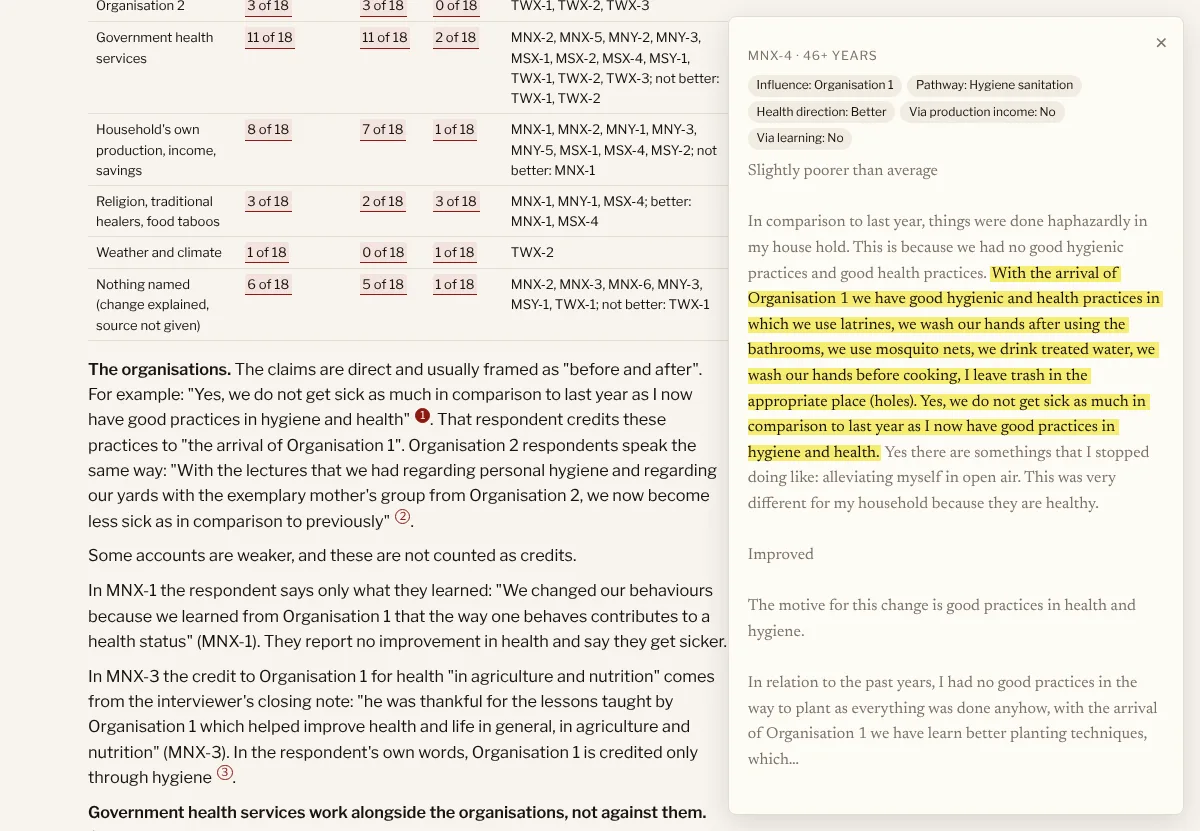
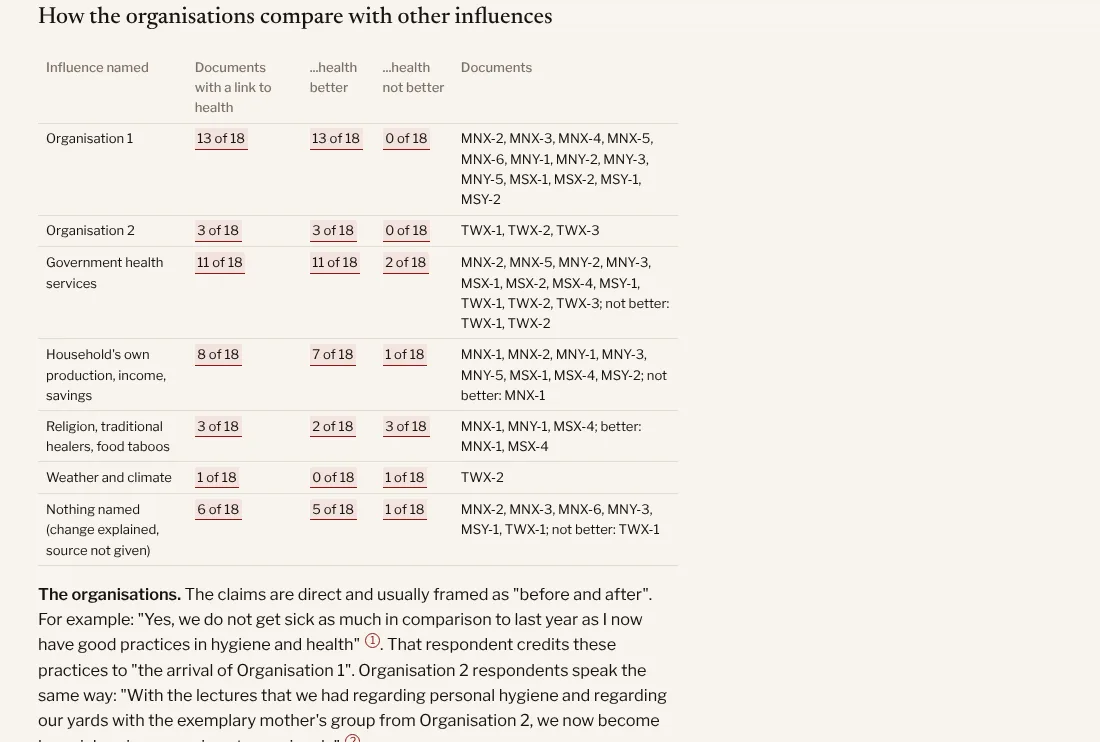
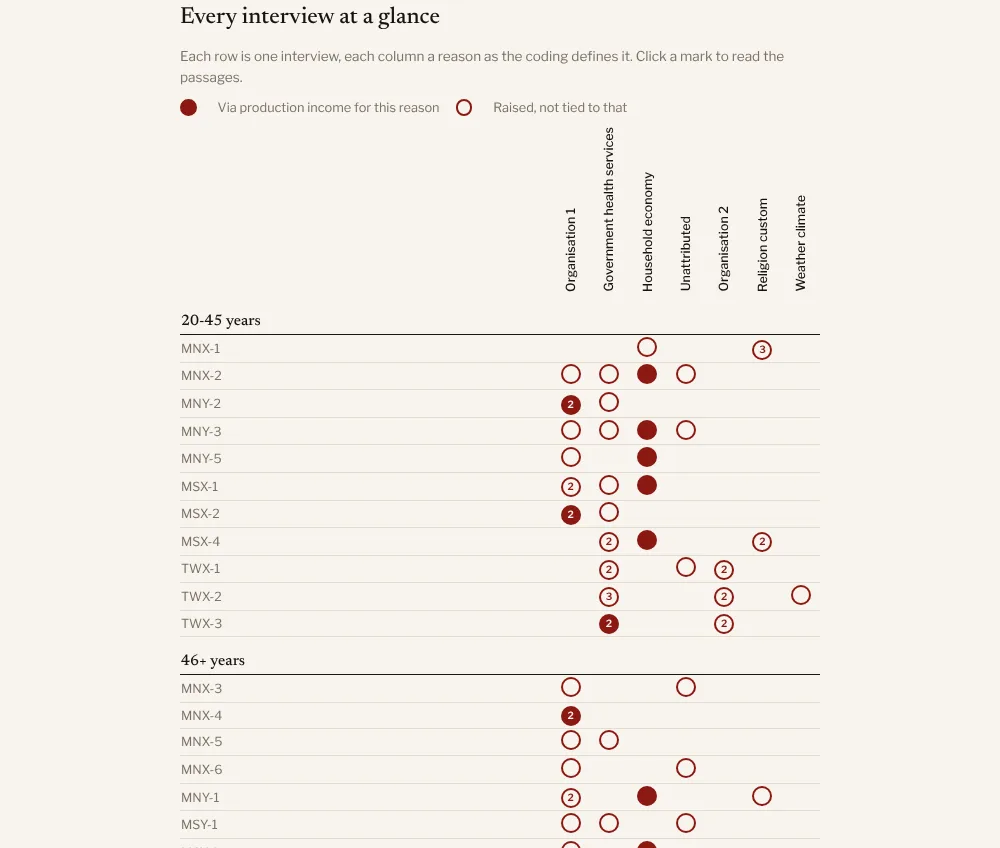
Example reports: household health, five questions in one combined report, AI at work, MECC training.
How a run goes
- Attach your documents and type
/rubiconwith your question. - Confirm the documents Claude found.
- Agree an overall design: what other questions you have for these documents, what analysis they can share, and the order to answer them in. You can plan them all now, let the outline grow, or take one question at a time.
- Agree each question before anything is read: what the answer is for, which groups to compare.
- Claude carries out the workflow the question needs, step by step: for instance coding the passages on each part of it, counting and comparing groups with code, and judging the counts against a rubric.
- A second coder codes again without seeing the first. A fresh reader settles disagreements and checks every sentence and quotation.
- Code creates the report.
A run somebody else can rebuild
Beside the report is a zip of the whole run: your documents, the coded passages and the workflow, in an open format. Anyone can recount every number from it. The report, its Word copy and the zip end in the same eight characters, so you can see they belong together. The zip holds your documents, so share it only with people who may read them.
You can revise a finished report. Changes of substance are recounted through the workflow. Every revision is kept.
Your documents stay with you
Your documents go to Anthropic under your Claude plan’s terms. Nothing goes to Causal Map. On Pro or Max, switch off “Help improve Claude” in Claude’s privacy settings before using client material.
Install
You need the Claude desktop app on a paid plan (Pro, Max, Team or Enterprise).
These are temporary instructions, until Rubicon is launched in Claude’s official plugin marketplace.
- Open Settings from your account menu, then Plugins, Add, Add marketplace, and enter
stevepowell99/causalmap-plugins. - Install Rubicon from it.
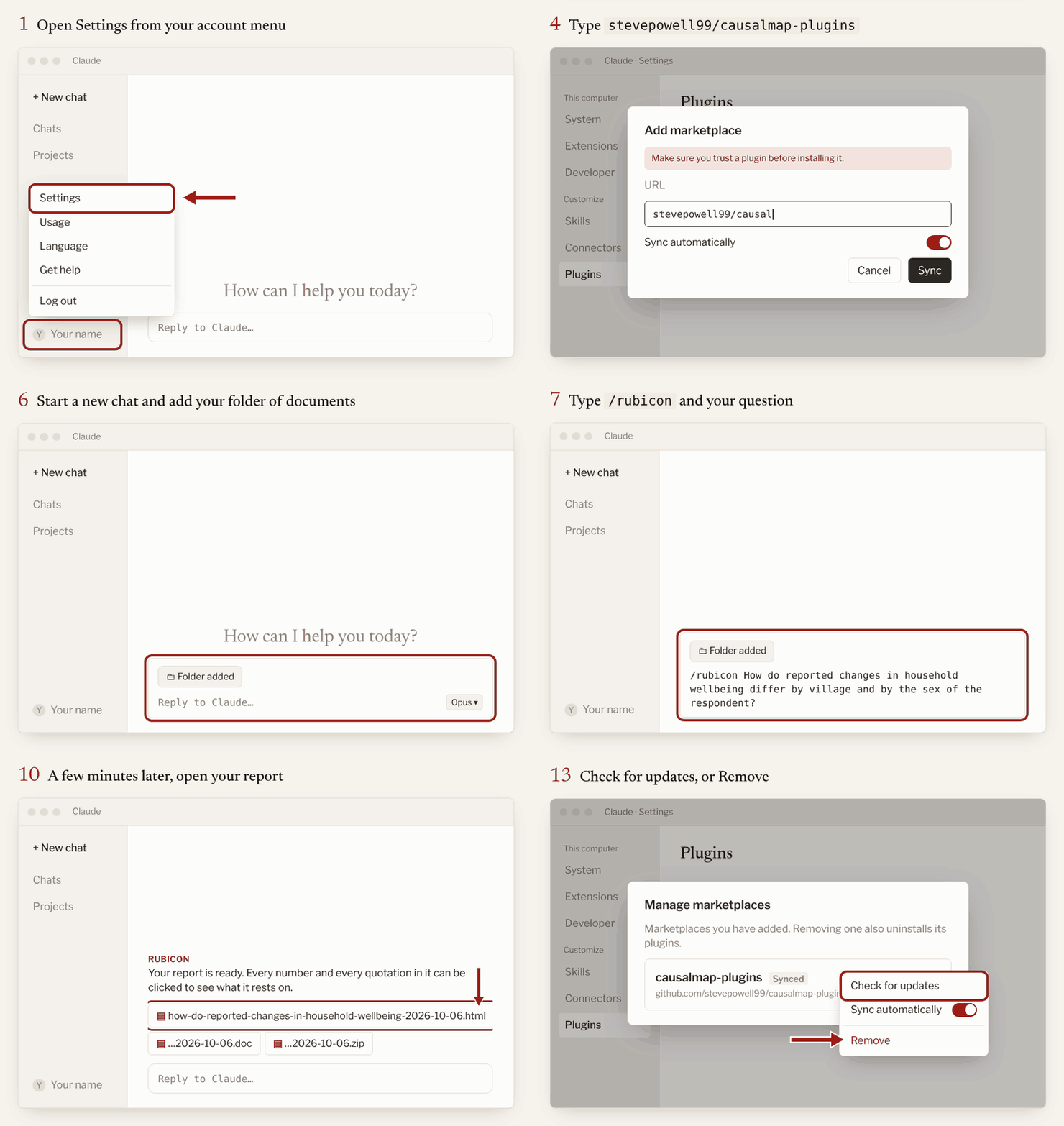
- Cowork (the main way). Start a Cowork chat with your documents folder attached.
- Code (optional). Use the Code tab, or Claude Code in a terminal. It needs Python and Node.js on your computer and offers to install them. In a terminal, type
/plugin marketplace add stevepowell99/causalmap-plugins, then/plugin install rubicon@causalmap.
Try it first on this zipped sample folder of 18 interviews. The code is on GitHub, under the MIT licence.
Getting new versions
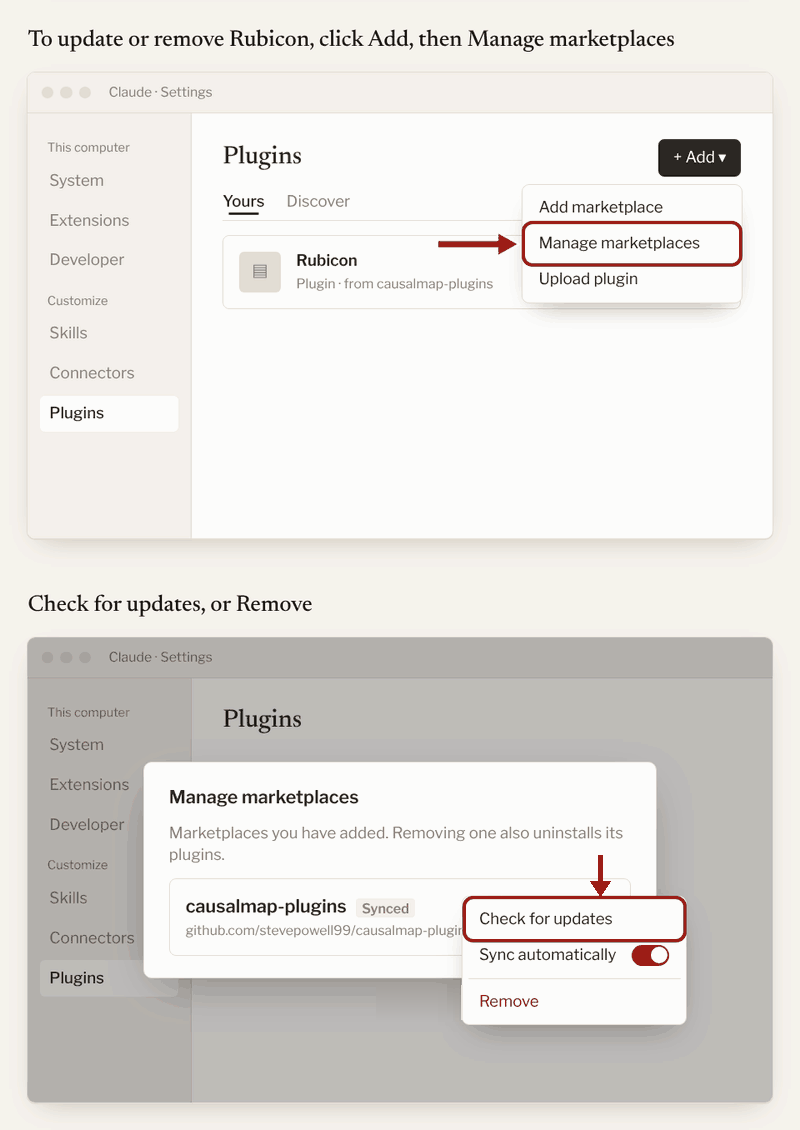
Check for updates yourself from time to time. In Settings, Plugins, click Add, then Manage marketplaces. Click the ⋮ beside causalmap-plugins and choose Check for updates.
Keeping track of your work
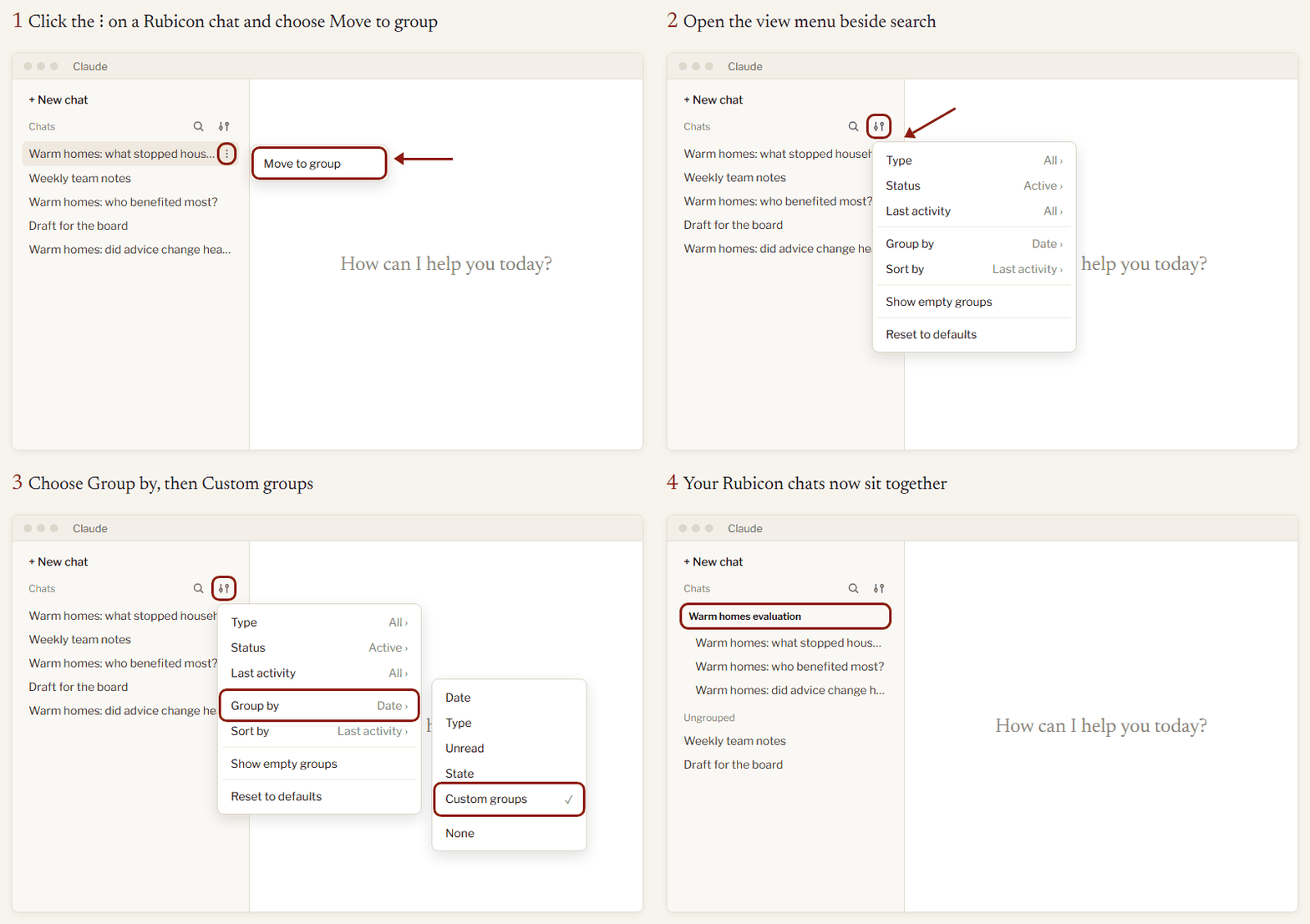
- Group your chats. Click the ⋮ on a Rubicon chat and choose Move to group. Then, in the view menu beside search, choose Group by > Custom groups.
- Ask in the folder. Each question Rubicon answers is a run with its own folder inside the documents folder, containing the report and all the details of how it was made.
rubicon-runs.mdlists them all. Each run’s folder also links back to the chat that made it. Attach the documents folder to a new Cowork chat and ask Rubicon what it has already answered.
What it costs
Nothing beyond your Claude subscription.
The plugin and an MCP server
Rubicon has a method layer and a trust layer. The table describes the next release, in which the Claude plugin and the MCP server share one method and one set of tools: the plugin runs the tools on your own computer, and the MCP server, once it is hosted, will offer them to other assistants such as Copilot. The plugin you can download today is the 9 October release, which works the older way.
| Claude plugin (next release) | MCP server (in development) | |
|---|---|---|
| Method layer | ||
| Agreeing the question with you | Yes, with question cards in Claude | The method is there for the assistant to read; you agree the question in a form or in the chat, depending on the assistant |
| Reading whole documents and citing the passages behind each count, under headings the AI chooses | Yes | Yes |
| Coding each and every passage instead | Offered, with its pros and cons | Offered, with its pros and cons |
| A second reader: a fresh AI checks the answer against the documents | Offered | Only where the assistant can start helpers |
| A suggested second look for material outside the question's frame | Yes | Yes |
| Trust layer | ||
| Every quotation found word for word in its source document | Yes | Yes |
| Every count made by code from the cited passages, and each count clicks through to its passages | Yes | Yes |
| Any number that code did not count marked as the writer's own | Yes | Yes |
| A note for each document of what it contributed | Yes | Yes |
| A report you can click through, like the examples on this site | Yes | Yes |
| A zip file from which the report can be recreated | Yes | Yes |
| In practice | ||
| What you need | A Claude subscription (the ordinary paid individual plan is enough) | An assistant that can connect to an MCP server |
| Where your documents go | They stay on your computer, apart from going through Anthropic as usual | To Causal Map's servers, in the EU |
| Status | The next release; publishing is paused. The plugin you can download today is the 9 October release | In development; not available yet |
| Example | Reluctance to use AI at work (made with the 9 October release) | The same interviews, through the MCP server |